Plan your whole homeschool year in an afternoon.
Yoisho Planner turns your subjects, pace, and calendar into a week-by-week schedule that keeps every student on track — and reshapes itself the moment life gets in the way.
14-day free trial. No credit card required.
よいしょ (yoy-shoh) — the little cheer Japanese speakers give when putting effort into something, like lifting a heavy load. So let the planner do the heavy lifting.
How it works
From a blank calendar to a full school year
Set things up once at the start of the year, then let Yoisho carry the schedule forward — adjusting as you teach.
Add your students
Create a profile for each child. Plan one student or your whole household from a single account.
Build your subject library
Add each subject with its total number of lessons and how many days a week it should meet.
Map out the school year
Set your start and end dates, then mark holidays, breaks, and field trips on a shared calendar.
Let Yoisho build the schedule
The planner lays every subject across the year, week by week, automatically working around the days you’ve marked off.
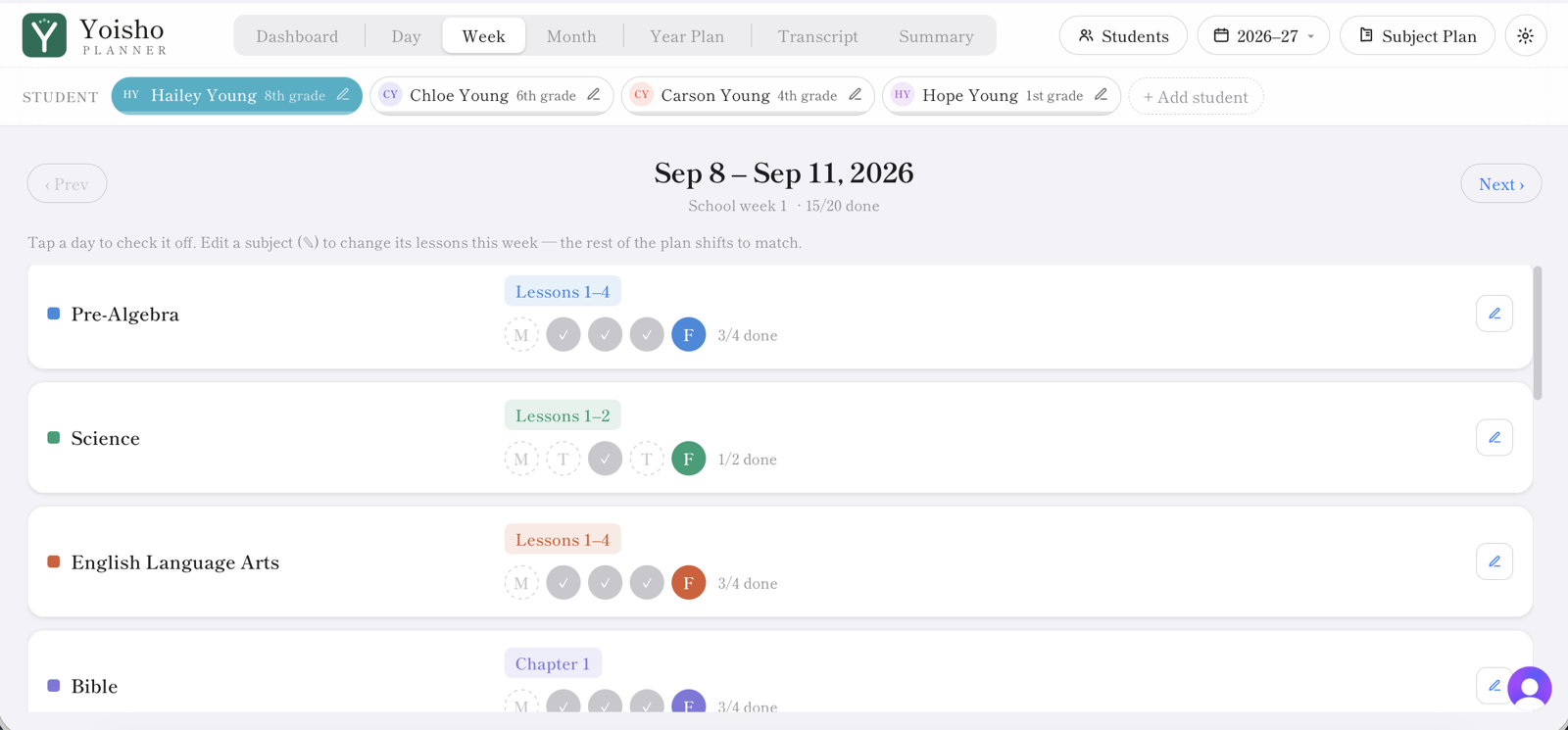
Teach and check off
Each day, you or your student checks off completed lessons. The dashboard shows who’s on pace at a glance.
Print the week
One click gives you every student's assignment sheet for the week you pick — plus a list of what each subject is taught from, so prep takes minutes.
Adjust as life happens
Behind on a subject or racing ahead? Bump lessons and the calendar recalculates everything downstream for you.
Close out the year
The year-end summary tallies every subject covered and the school days completed — ready for your records.
Features
Everything the school year needs, in one place
Dashboard
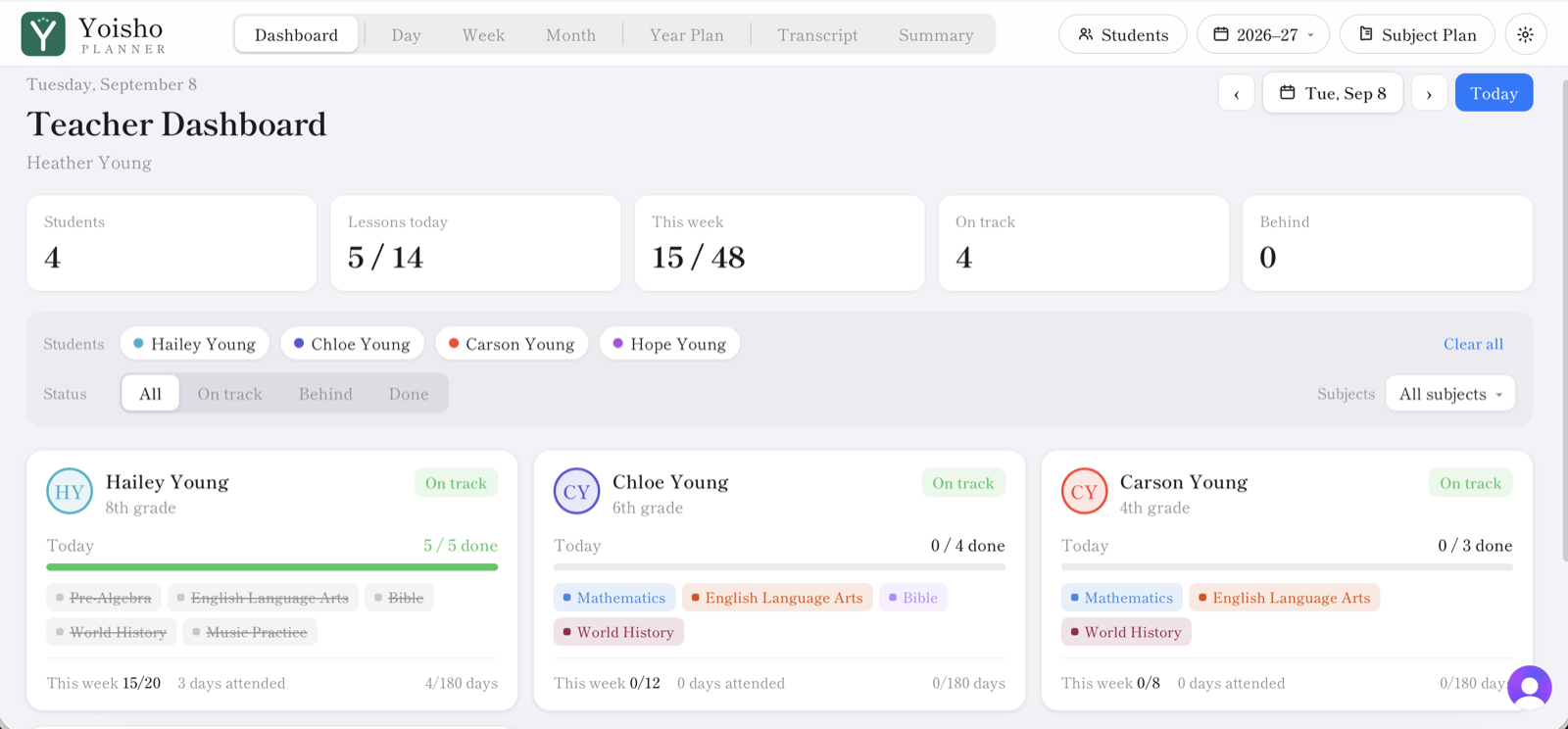
See every student at a glance
The teacher dashboard gives you a single overview of where each student stands — what’s done, what’s due, and who’s drifting off pace — so nothing slips through the cracks.
Calendar
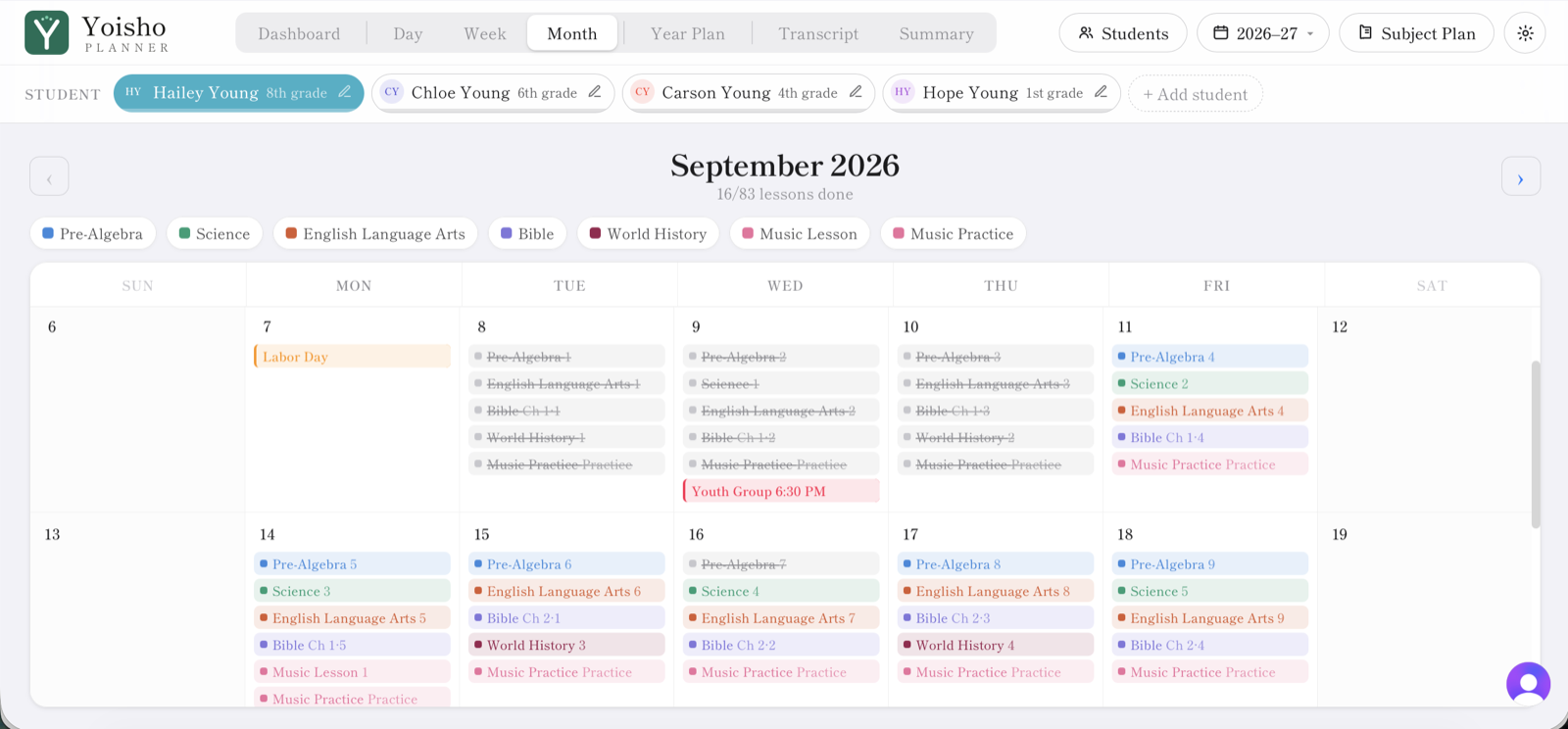
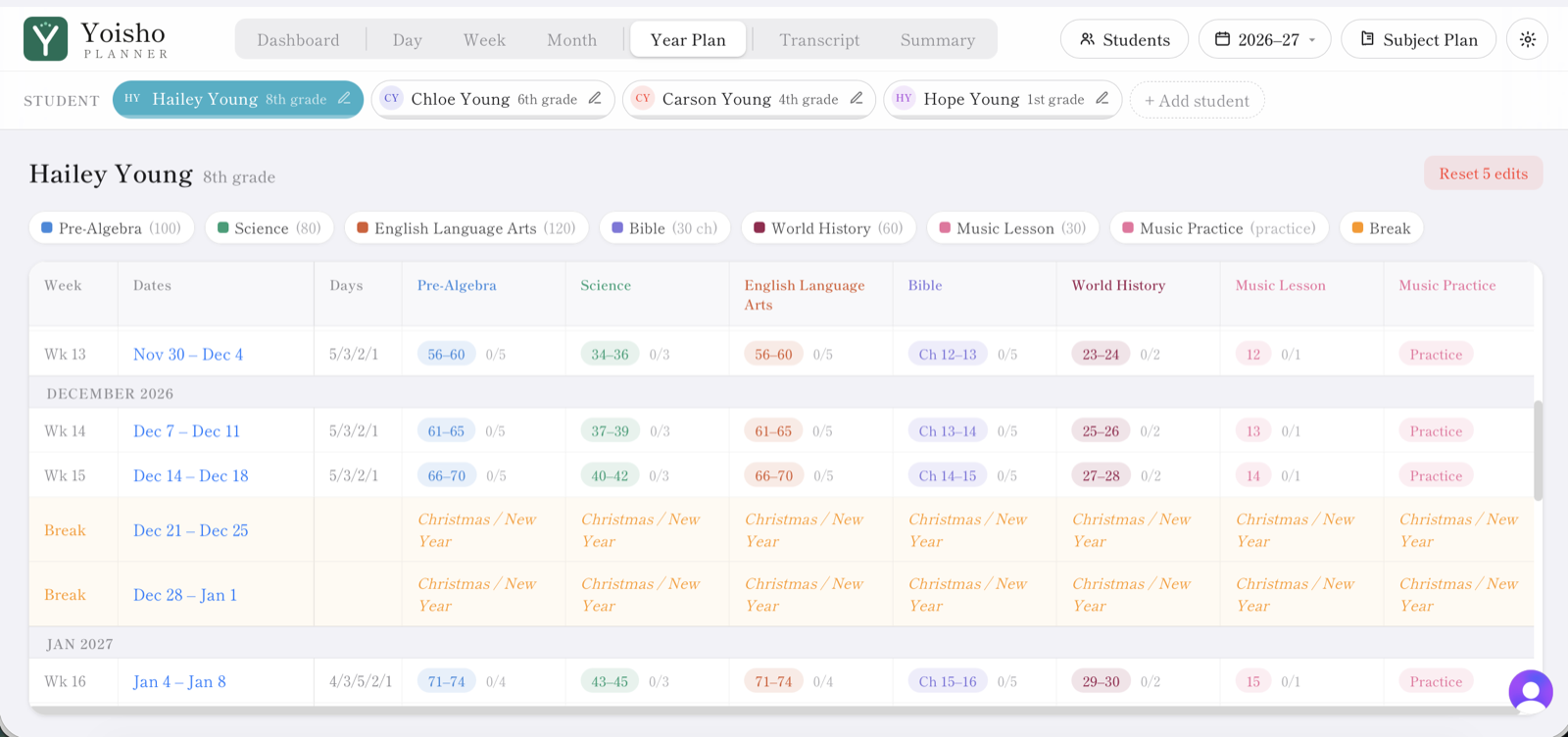
Week, month, and year views
Move between a detailed weekly plan, a full monthly calendar, and a bird’s-eye view of the entire year. Holidays, breaks, and field trips are built right into the schedule.
Pacing
Set the pace, then change your mind
Choose how many days a week each subject meets. Need to jump ahead? Bump a lesson forward and every subject after it slides along the calendar automatically — no manual reshuffling, no double-booked days.
Daily rhythm
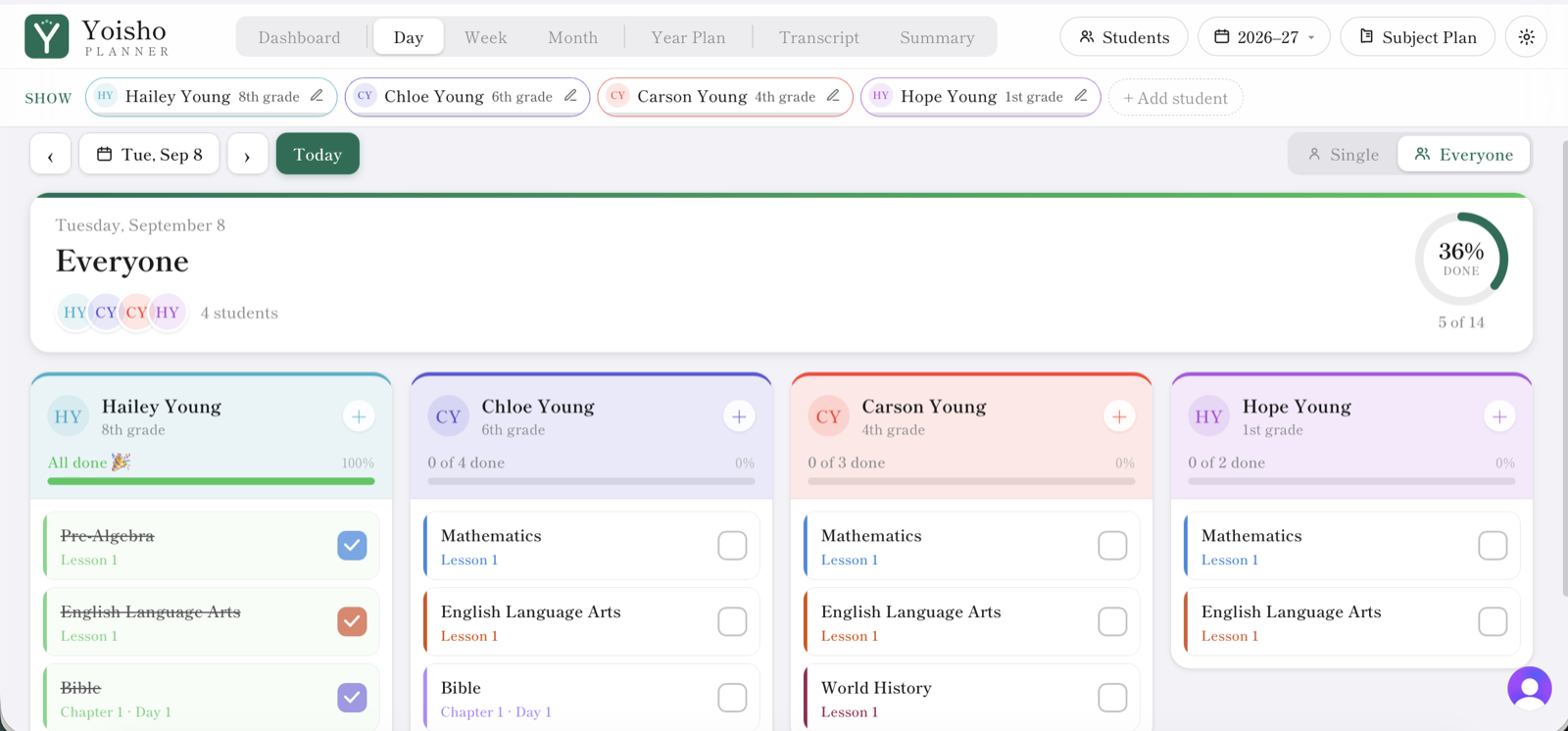
Check off the day as you go
Students or the teacher tick off completed subjects each day. Progress updates instantly, so the dashboard and calendar always reflect where you really are.
Printing
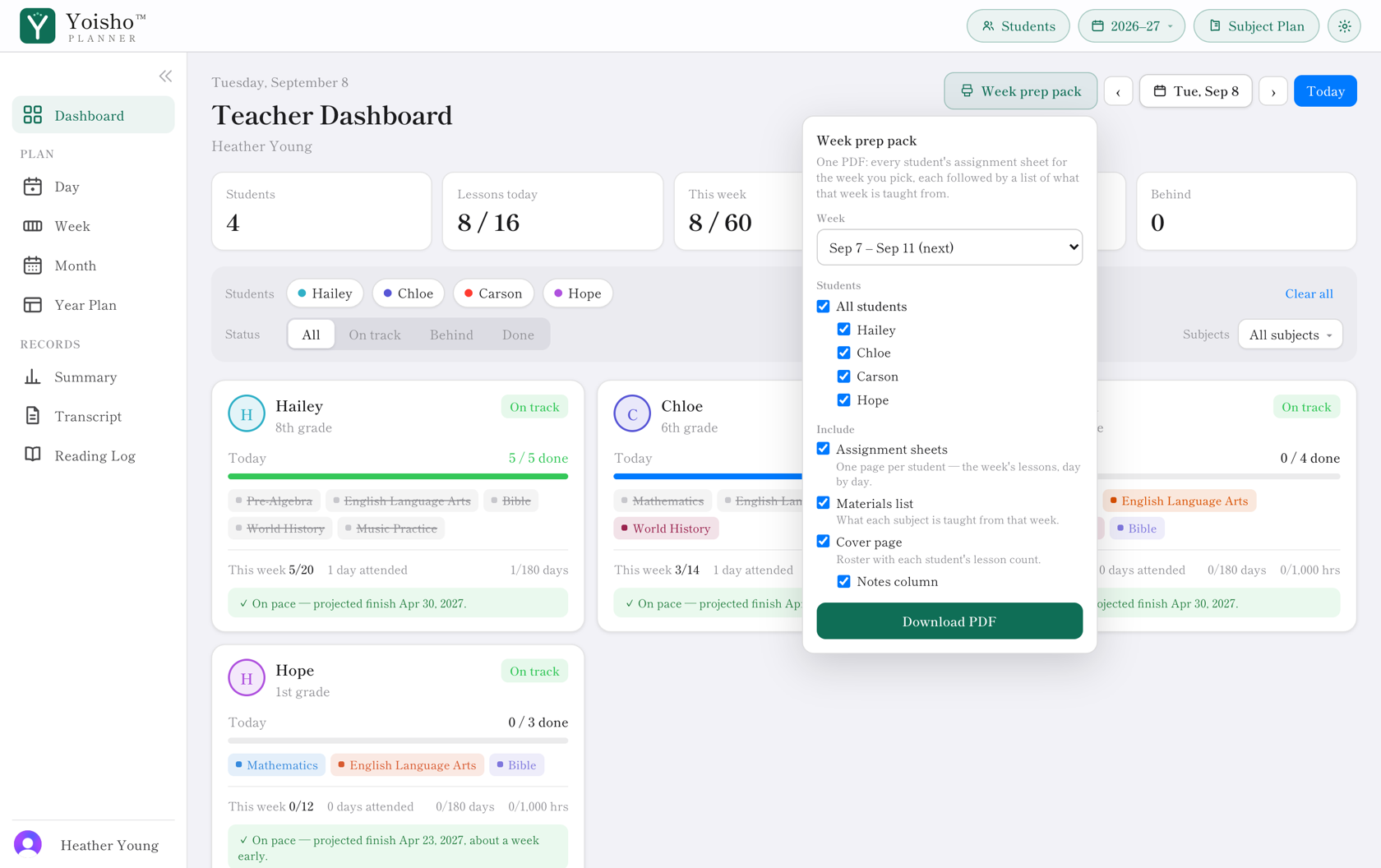
Print the week for every student at once
Pick a week and Yoisho builds one PDF: an assignment sheet for each student, day by day with boxes to tick, followed by a list of the books and materials that week needs. Choose which parts you want — sheets, materials, or both.
Grades
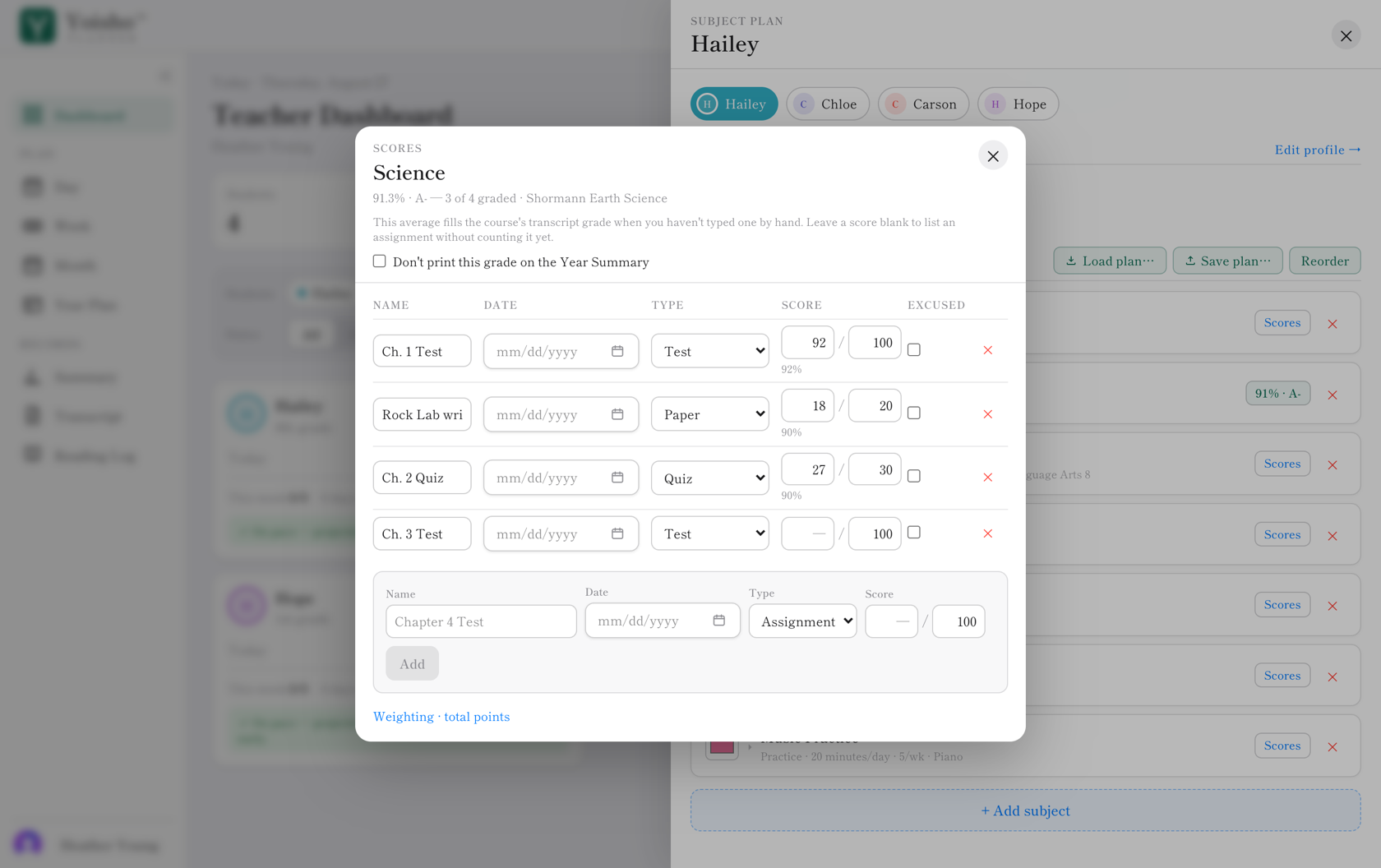
Keep scores where the lessons are
Record tests, quizzes, and assignments against a subject and Yoisho averages them into that course’s grade — filling the year-end summary for younger students and the transcript for high schoolers. Type a grade yourself any time and yours wins.
Records
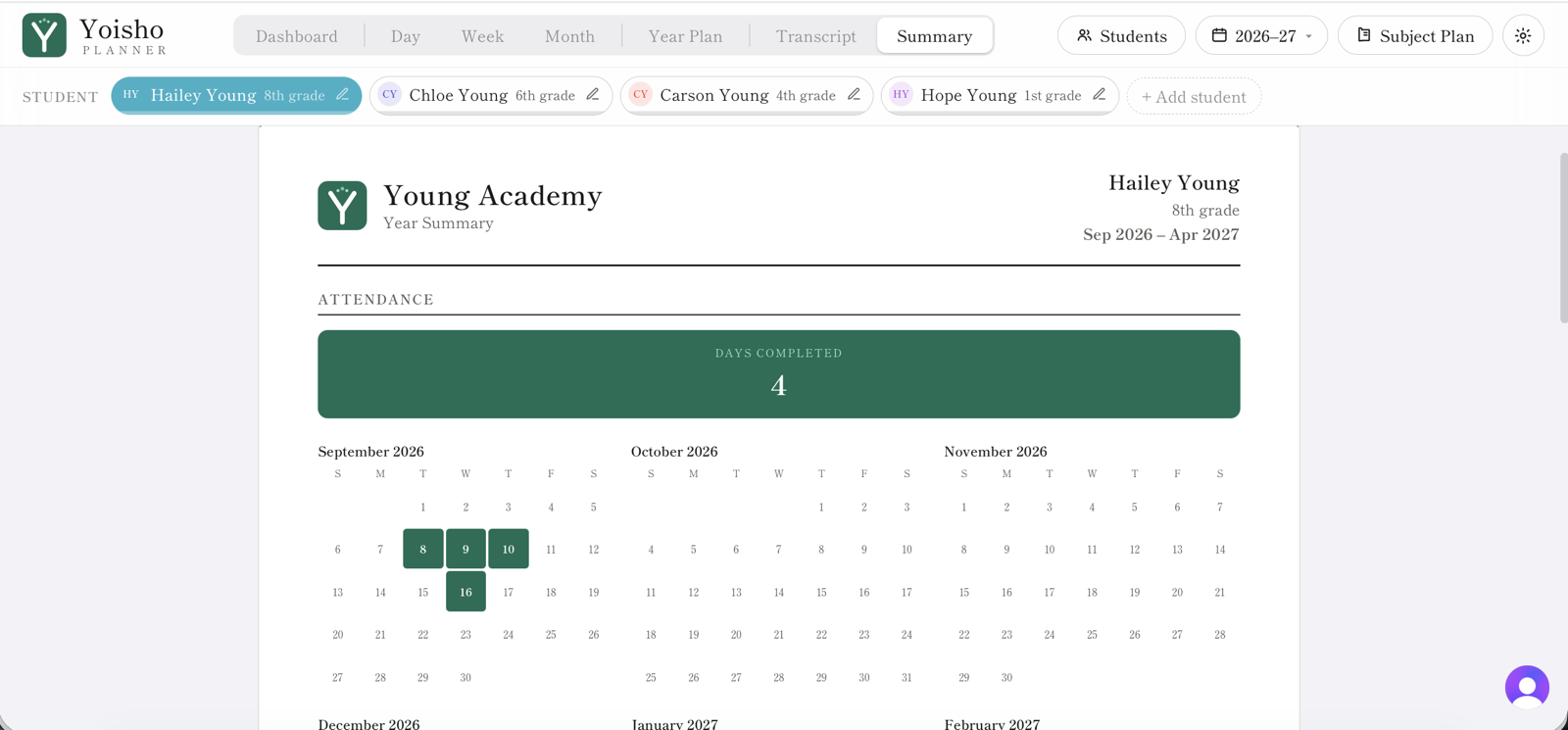
A tidy year-end summary
When the year wraps up, Yoisho produces a clean summary of every subject covered, the grade earned in each, and the total school days completed — ready to print for your records or reporting. High schoolers get a full transcript with credits and GPA on top of it.
Why parents use it
Save time, save energy, stay organized
One organized home base
Every student, subject, and school day lives in one place instead of scattered across binders and spreadsheets.
Flexible subject pacing
Set how often each subject meets, then bump lessons forward whenever you like — the calendar keeps up.
Week, month & year views
Zoom from today’s lessons out to the full school year, and back, in a single click.
Built for multiple students
Each child keeps their own subjects, pace, and progress, all visible from one teacher dashboard.
Print the whole household at once
Pick a week and get one PDF: an assignment sheet for every student, each with the books and materials that week needs. Print the parts you want and skip the rest.
Grades without a spreadsheet
Record tests and assignments against a subject and the average becomes that course’s grade — on the year summary for younger students, on the transcript for high schoolers.
Transcripts and graduation tracking
High school years build a printable transcript with credits, grades, and optional GPA — and a graduation tracker showing which requirements are still unmet.
A reading log that keeps itself
Log read-alouds, independent reading, and audiobooks per student, then print the year’s list alongside everything else.
One-click portfolio export
Transcript, year-end summary, and reading log stitched into a single PDF — the record request answered in one file.
Student and teacher ID cards
Print photo ID cards for your students and yourself — what a museum, library, or bookstore asks for when you claim a student or educator rate. They cut out to standard card size and fit a laminating pouch. Photos go straight into the PDF and are never uploaded or stored.
Roll straight into next year
Start the next school year from the one you just finished: subjects, pacing, and calendar carry over, and finished years lock so they can’t be edited by accident.
A view just for your student
Kid mode hides the planning controls and shows only today’s lessons, so a child can check off their own work without wandering into the schedule.
Chores, next to the lessons
Give each child daily jobs — make the bed, feed the dog, unload the dishwasher — and they tick them off under the day’s lessons, in the same list they already work through. Pick the days for each one, weekends included. Chores never touch your school records.
An optional daily reward
Turn on the Discovery Journey for a child, and each finished school day unlocks a card with a Bible verse and a discovery about God’s creation, on a year-long journey from the stars to the bottom of the ocean. It stays off until you choose it.
Pricing
One plan, your whole household
Every feature, every student, no add-ons — and 14 days to use the whole thing before you pick one.
No credit card to start the trial. When it ends, choose monthly or yearly and pay through Stripe's secure checkout — or don't, and nothing is charged or deleted.
Ready to lighten the load?
Set up your students, map the year, and let Yoisho Planner keep the schedule on track from the first day to the last.
Start free trial14-day free trial. No credit card required.